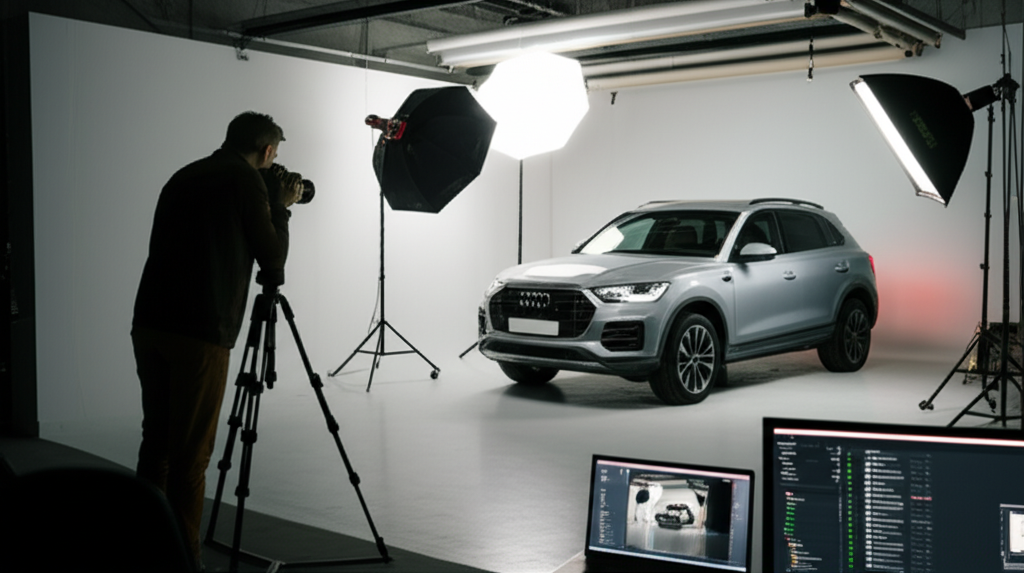
Vehicle Merchandising Checklist: Photos, Options, Pricing
Professional vehicle merchandising guide: photo requirements, option verification, competitive pricing, and descriptions that convert browsers to buyers.
Vehicle merchandising quality directly determines how fast you sell and at what price. Dealers with professional photos, complete option lists, and accurate descriptions sell vehicles 40% faster at 8-12% higher prices than dealers with poor merchandising. The difference between a 30-day and 90-day turn is often just photo quality and listing completeness.
This checklist covers the three pillars of effective vehicle merchandising: professional photography (angles, lighting, backgrounds), comprehensive option documentation (factory + dealer-installed), and competitive pricing strategy. Master these fundamentals to maximize click-through rates, reduce time-to-sale, and improve gross profit per unit.
Professional Vehicle Photography
Photos are the #1 factor in online listing performance. Buyers judge vehicle condition in 3 seconds based on the hero photo. Poor photos = instant scroll-past, regardless of price or options.
1. Essential Exterior Photos (8 Minimum)
| Photo Angle | Purpose | Tips |
|---|---|---|
| Front 3/4 Driver Side | Hero shot (first impression) | 45-degree angle, shows front + side, clean background |
| Rear 3/4 Passenger Side | Shows rear + opposite side | Balances perspective, shows full vehicle profile |
| Driver Side Profile | Shows body lines, wheel fitment | Straight-on 90-degree angle, level horizon |
| Passenger Side Profile | Shows opposite side condition | Captures right-side damage/wear if present |
| Front Straight | Shows grille, headlights, symmetry | Centered, level, shows front fascia details |
| Rear Straight | Shows taillights, exhaust, rear bumper | Captures rear features, license plate area |
| Wheels/Tires (Close-up) | Shows wheel condition, tire tread | One photo per wheel style (front + rear if different) |
| Engine Bay | Shows cleanliness, maintenance level | Clean engine = well-maintained perception |
2. Essential Interior Photos (7 Minimum)
- Dashboard (Driver Perspective): Shows steering wheel, gauges, center console. Capture mileage display clearly. Turn on headlights/dash lights for visual interest.
- Front Seats: Shows driver + passenger seat condition, upholstery quality. Photograph from rear seat looking forward.
- Rear Seats: Shows back seat space, condition. Critical for family vehicles (SUVs, sedans).
- Center Console/Infotainment: Shows screen size, controls, features. Highlight touchscreen, navigation, climate controls.
- Trunk/Cargo Area: Shows storage capacity, cleanliness. For SUVs: show 2nd/3rd row folded and upright.
- Headliner/Roof: Shows sunroof (if equipped), interior roof condition. Proves no smoke damage, water leaks.
- Door Panels/Trim: Shows door controls, window switches, interior quality. Captures power seat controls, speaker grilles.
3. Detail and Feature Photos (5-10 Additional)
- VIN Plate (Dashboard or Door Jamb): Proves VIN matches title, builds buyer trust.
- Odometer (Close-up): Clear mileage verification, shows digital display.
- Tire Tread Depth: Shows remaining tread (use penny test or gauge). Proves tire condition.
- Premium Options: Leather seats (close-up of stitching), sunroof (open + closed), backup camera display, heated seat controls, premium audio badge.
- Service Stickers: Oil change sticker, inspection sticker (proves recent maintenance).
- Damage/Wear Areas: Any scratches, dents, curb rash, interior wear. Transparency prevents buyer disputes.
- Undercarriage (If Lifted): Shows frame condition, rust, exhaust system. Critical for trucks, SUVs in rust-belt states.
- Spare Tire/Jack: Proves completeness, especially for premium vehicles.
4. Photography Best Practices
| Element | Best Practice | Avoid |
|---|---|---|
| Lighting | Overcast days (soft, even light) or early morning/late afternoon (golden hour) | Direct noon sunlight (harsh shadows), indoor fluorescent lighting |
| Background | Clean, uncluttered (empty lot section, plain building, nature) | Other vehicles in frame, trash cans, cluttered shop area |
| Camera Height | Waist-level for exterior (avoids distortion), eye-level for interior | Ground-level (makes vehicle look tall/awkward), overhead (unflattering) |
| Vehicle Prep | Wash/detail before photos, remove dealer tags/stickers, close all doors/trunk | Dirty vehicle, dealer plate visible, doors/trunk ajar |
| Camera Settings | High resolution (minimum 1920x1080), landscape orientation, HDR mode if available | Portrait orientation, low resolution, heavy filters/editing |
Comprehensive Option Documentation
Complete option lists improve search visibility (buyers filter by options) and reduce post-sale disputes ("I thought it had navigation"). Always verify options physically—VIN decoding misses dealer-installed and aftermarket options.
1. Standard Options (Verify via VIN + Physical Inspection)
- Safety: Airbags (front, side, curtain), ABS, traction control, stability control, backup camera, blind spot monitoring, lane departure warning, forward collision warning, adaptive cruise control.
- Comfort: Air conditioning, climate control (single/dual/tri-zone), heated seats (front/rear), ventilated seats, power seats (driver/passenger, lumbar), memory seats, heated steering wheel.
- Technology: Touchscreen size (e.g., 8-inch), Apple CarPlay, Android Auto, navigation system, Bluetooth, USB ports (count + location), wireless charging, premium audio (brand + speaker count), satellite radio.
- Exterior: Sunroof/moonroof (panoramic vs standard), roof rack, running boards, tow package (hitch + wiring), power liftgate, remote start, keyless entry, push-button start.
- Lighting: LED headlights, automatic headlights, fog lights, daytime running lights, ambient interior lighting.
- Drivetrain: Engine size (e.g., 2.0L Turbo), transmission type (6-speed auto, CVT, manual), drivetrain (FWD, RWD, AWD, 4WD), towing capacity.
2. Dealer-Installed and Aftermarket Options
- Wheels: Aftermarket wheels (brand, size), wheel locks, center caps.
- Tires: Brand, model, size, remaining tread depth (e.g., "Michelin Defender LTX, 8/32nds tread").
- Audio/Video: Aftermarket stereo, amplifier, subwoofer, rear-seat entertainment.
- Protection: Window tint (percentage), paint protection film, ceramic coating, all-weather floor mats, cargo liner, bed liner (trucks).
- Performance: Cold air intake, exhaust system, suspension lift/lowering, performance tuning.
3. Option Documentation Workflow
Step 1 - VIN Decode: Use NHTSA API or paid service (Carfax, Chrome Data) to get factory options. Provides 70-80% of option list automatically.
Step 2 - Physical Verification: Walk around vehicle with option list, verify each item. Add options VIN decoder missed (sunroof, navigation often missed). Remove options incorrectly decoded (verify trim-specific features).
Step 3 - Dealer-Installed Additions: Check invoice/purchase records for accessories added at acquisition (remote start, tint, aftermarket wheels). Inspect vehicle for non-factory equipment.
Step 4 - Owner's Manual/Window Sticker: If available, cross-reference original window sticker or owner's manual for complete option packages.
Competitive Pricing Strategy
Pricing determines your days-to-sale and gross profit. Price too high = long aging (carrying costs eat profit). Price too low = fast sale but missed gross opportunity. Use market-based pricing with strategic positioning.
1. Market Research Process
| Step | Action | Example |
|---|---|---|
| 1. Define Comparables | Same year ±1, same make/model/trim, mileage ±10,000, within 100 miles | 2022 Honda Accord EX-L, 28k-48k miles, within 100 miles of your lot |
| 2. Search Marketplaces | Check AutoTrader, CarGurus, Cars.com, Facebook Marketplace | Find 5-10 comparable listings |
| 3. Calculate Median | Sort prices low to high, take middle value (not average—avoids outliers) | $24,500, $24,995, $25,200, $25,500, $26,000 → Median: $25,200 |
| 4. Adjust for Differences | Add/subtract $500-1,000 per significant difference (mileage, options, condition) | Your vehicle has navigation (+$800), but 5k more miles (-$400) = +$400 adjustment |
| 5. Set Target Price | Position based on turnover goal (see table below) | Market median: $25,200 + $400 adjustment = $25,600 target |
2. Pricing Position Strategy
| Pricing Position | Target Days to Sale | When to Use |
|---|---|---|
| Below Market (5-10% under median) | 7-14 days | Aged inventory (60+ days), need cash flow, vehicle has condition issues, high carrying costs (floor plan interest) |
| At Market (median price) | 30-45 days | Average condition, normal turnover goals, competitive market with many comparables |
| Above Market (5-10% over median) | 60-90 days | Excellent condition, rare options, low mileage, limited local competition, premium vehicle |
| Premium Pricing (10-15% over median) | 90+ days (or never) | Certified Pre-Owned, warranty included, one-owner, dealer reputation premium. Risk: aged inventory. |
3. Repricing Triggers
Monitor weekly and reprice when:
- No Leads After 14 Days: Price is too high or photos/description need improvement. Drop 3-5% or improve merchandising.
- High Impressions, Low Clicks: Hero photo or price point is turning buyers away. Retake photos or drop price 5%.
- Market Shifts: New comparables listed below your price (competitor undercut). Match or go $200-500 below.
- Aging Milestones: At 45 days: review price vs market. At 60 days: aggressive 5-10% reduction. At 90 days: wholesale or auction consideration.
- High Click-Through, No Test Drives: Price objection after viewing full listing. Reduce price or emphasize value (warranty, service records, low mileage).
Listing Description Best Practices
Descriptions complement photos and options—they shouldn't replace them. Focus on vehicle-specific details, condition notes, and unique selling points. Avoid generic copy-paste descriptions.
1. Description Template Structure
- Opening (2-3 sentences): Year, make, model, trim, mileage, key features. Example: "2022 Honda Accord EX-L with only 38,000 miles. This one-owner sedan features leather seats, sunroof, and Honda Sensing safety suite. Clean Carfax, no accidents, all service records available."
- Condition Overview: Exterior condition (excellent/good/fair + specific notes), interior condition (wear level, cleanliness), mechanical condition (recent services, new parts). Example: "Exterior in excellent condition with no dents or scratches. Interior shows minimal wear with clean leather and carpet. Recent oil change and tire rotation (December 2025)."
- Key Features (Bullet List): 5-8 standout options that buyers care about. Example: "• Heated leather seats (front and rear) • Apple CarPlay / Android Auto • Blind spot monitoring • Dual-zone climate control"
- Unique Selling Points: What makes THIS vehicle special? Example: "Local trade-in from original owner. All maintenance performed at Honda dealership (records available). Non-smoker vehicle. New Michelin tires installed at 35k miles."
- Call to Action: Invite test drive, mention financing, provide contact method. Example: "Schedule a test drive today. Financing available with approved credit. Call/text [phone] or visit [website]."
2. Description Dos and Don'ts
| Do | Don't |
|---|---|
| Be specific (actual mileage, actual options, actual condition) | Use vague terms ("low miles" without number, "loaded" without listing options) |
| Disclose known issues (minor scratches, worn tires, check engine light) | Hide problems (buyer will find them, kills trust and deal) |
| Use facts (one-owner, Carfax clean, service records, new tires) | Use hyperbole ("pristine", "showroom", "mint", "best deal ever") |
| Mention vehicle history (trade-in, lease return, original owner) | Omit history (auction, salvage title, flood damage—legal requirement to disclose) |
| Include warranty information (remaining factory, dealer warranty, AS-IS) | Promise warranty you don't offer or misrepresent coverage |
Frequently Asked Questions
How many photos should I take for each vehicle listing?
Minimum 15-20 photos for online marketplaces (exterior angles, interior, engine, trunk, wheels, VIN). Top-performing dealers use 25-35 photos including detail shots of options, minor damage, tire tread, and underbody. More photos = higher click-through rates and fewer buyer questions.
What's the correct order for vehicle listing photos?
Standard sequence: (1) Front 3/4 driver side (hero shot), (2) Rear 3/4 passenger side, (3) Driver side profile, (4) Passenger side profile, (5) Front straight, (6) Rear straight, (7) Dashboard/driver seat, (8) Front seats, (9) Rear seats, (10) Trunk/cargo, (11) Engine bay, (12) Wheels/tires, (13) VIN plate, (14) Options/features, (15+) Damage/wear areas. This order matches buyer browsing patterns.
Should I list every single option or just major features?
List ALL options, not just premium features. Buyers search for specific options (heated seats, backup camera, blind spot monitoring). Missing options = missed search visibility. DMS systems can auto-populate options via VIN decoding, then manually verify and add dealer-installed accessories.
How do I price competitively without leaving money on the table?
Use market-based pricing: Check 3-5 comparable vehicles (same year/make/model/mileage/condition within 100 miles). Price at or slightly below median if you want fast turnover (7-14 days), at median for normal turnover (30-45 days), or 5-10% above median if vehicle has rare options or excellent condition. Reprice weekly based on market activity.
What's the biggest mistake dealers make in vehicle merchandising?
Poor photo quality (dark, blurry, cluttered background) kills 50%+ of listing effectiveness. Buyers won't click if hero photo looks unprofessional. Second biggest mistake: incomplete option lists (buyers can't find your vehicle in filtered searches). Third: generic copy-paste descriptions (no vehicle-specific details).
Automate vehicle merchandising in your DMS. DealerOneView helps you create professional listings with VIN-decoded options, photo organization, competitive pricing analysis, and one-click syndication to AutoTrader, CarGurus, and Facebook Marketplace. Reduce listing time from 30 minutes to 5 minutes per vehicle.
Related Articles
Get More Insights Like This
Subscribe to our newsletter for the latest dealership tips and industry trends.