Audit Log Requirements: What to Track, How Long to Keep
Compliance audit trail: track user changes, document access, deal modifications. Meet regulatory requirements for dealer recordkeeping.
"Who changed this deal price from $18,500 to $16,000?" Without audit logs, you'll never know. Was it an authorized manager discount, or an unauthorized staff member committing fraud? During regulatory audits, customer disputes, or internal investigations, audit logs are your only proof of what happened.
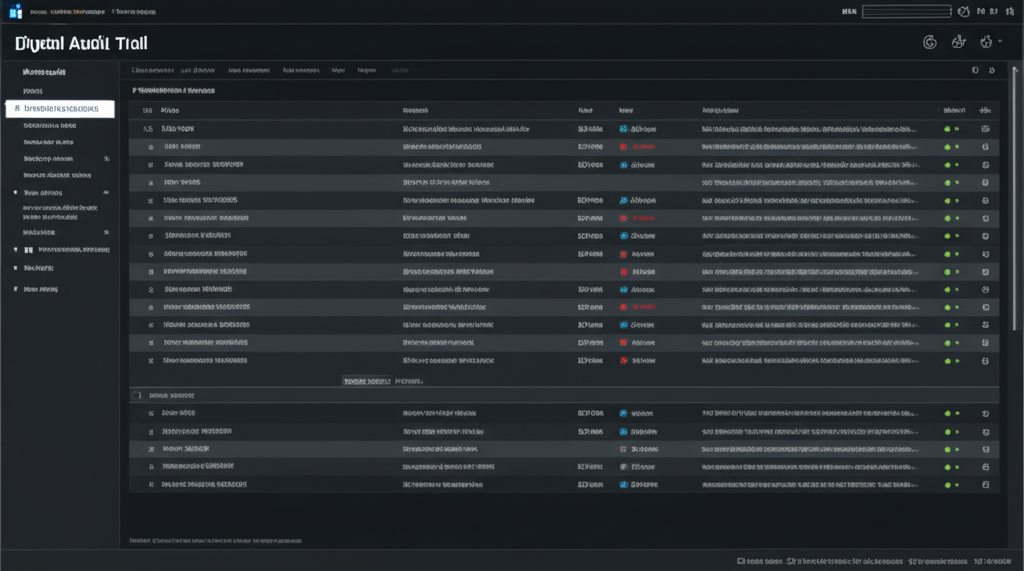
An audit log (also called activity log, change log, or transaction log) is a detailed, tamper-proof record of every action taken in your dealership management system: who logged in, what data they accessed, what changes they made, and when. Audit logs are critical for: regulatory compliance (proving who accessed customer data), fraud prevention (detecting unauthorized price changes, document alterations), and legal defense (evidence in customer disputes).
While no single law explicitly mandates "audit logs," regulations like FTC consumer protection rules, state privacy laws, and Canadian PIPEDA require dealers to demonstrate compliance - and audit logs are how you prove it. Dealerships without comprehensive audit logs face higher liability, inability to detect fraud, and failed audits.
This guide covers what to track in audit logs, retention requirements, compliance implications, DMS configuration, and how to use logs for fraud detection and audit defense.
Why Audit Logs Matter: Real-World Scenarios
Scenario 1: Customer Claims Contract Fraud
Situation: Customer claims you changed purchase price from $15,000 (verbally agreed) to $17,000 on signed contract.
Without audit logs: Your word vs customer's word. No proof of what actually happened. High risk of lawsuit, BBB complaint, regulatory investigation.
With audit logs: "Our logs show purchase price was entered as $17,000 on Jan 15 at 2:14 PM by Sales Rep John Smith. No changes were made after customer signed at 2:45 PM. Here's the timestamped log." Case dismissed.
Scenario 2: Regulatory Audit (Privacy Breach Investigation)
Situation: Customer reports receiving spam emails after purchasing from your dealership. Regulator investigates: "Who accessed this customer's email address?"
Without audit logs: Cannot prove who accessed data. Regulator assumes worst case (data breach, unauthorized access). Fines: $10,000-$50,000 per violation.
With audit logs: "Logs show only authorized sales rep (John Smith) and F&I manager (Jane Doe) accessed customer record on Jan 15. No exports to external systems. No unauthorized access detected." Audit passed.
Scenario 3: Internal Fraud Detection
Situation: Monthly financial reconciliation reveals $5,000 missing from cash deposits.
Without audit logs: No way to identify who processed transactions, when cash was recorded, or who accessed payment records. Fraud goes undetected until losses accumulate.
With audit logs: Review logs for cash transactions during missing period. Identify that Employee X processed 10 cash deals but only 7 were deposited. Flag for investigation. Employee terminated, losses recovered.
What to Track in Audit Logs
1. User Authentication Events
Track every login, logout, and access attempt to identify unauthorized access:
| Event | What to Log | Why It Matters |
|---|---|---|
| Successful Login | Username, timestamp, IP address, device type | Prove who was logged in when suspicious activity occurred |
| Failed Login Attempt | Username attempted, timestamp, IP address, failure reason | Detect brute-force attacks, unauthorized access attempts |
| Password Change | Username, timestamp, IP address, initiated by (user vs admin) | Detect account takeover (unauthorized password reset) |
| Logout / Session Timeout | Username, timestamp, logout method (manual vs timeout) | Verify user was logged out when claimed (alibi defense) |
| Permission Changes | User affected, old role, new role, changed by, timestamp | Detect unauthorized privilege escalation |
2. Data Access Events (Privacy Compliance)
Privacy laws (PIPEDA in Canada, state laws in US) require tracking who accessed personal information:
| Event | What to Log | Compliance Requirement |
|---|---|---|
| Customer Record Viewed | User, customer name, timestamp, fields accessed (email, SSN, credit report) | PIPEDA (Canada), CCPA (California) |
| Credit Report Pulled | User, customer name, timestamp, credit bureau (Equifax, TransUnion, Experian) | FCRA (Fair Credit Reporting Act) |
| Customer Data Exported | User, customer count, export format (CSV, PDF), timestamp | GDPR/PIPEDA (data portability) |
| Document Viewed/Downloaded | User, document type (contract, credit app), customer name, timestamp | Privacy compliance (access control) |
| Email/SMS Sent to Customer | User, customer, message content (opt-out link), timestamp | CAN-SPAM Act (US), CASL (Canada) |
3. Data Modification Events (Fraud Prevention)
Track every change to critical data to detect unauthorized alterations:
| Event | What to Log | Why It Matters |
|---|---|---|
| Deal Price Changed | User, customer name, old price, new price, timestamp, reason (if provided) | Detect unauthorized discounts, fraud |
| Payment Recorded | User, customer, amount, payment method (cash, check, card), timestamp | Reconcile cash deposits, detect skimming |
| Vehicle Price Changed | User, stock number, old price, new price, timestamp | Detect unauthorized markdowns |
| Customer Info Updated | User, customer name, field changed (email, phone, address), old value, new value, timestamp | Detect unauthorized data alteration |
| Document Deleted | User, document type, customer name, timestamp, deletion reason | Prevent evidence destruction, regulatory violation |
| Inventory Added/Removed | User, stock number, action (added, sold, wholesale), timestamp | Track vehicle movement, prevent theft |
4. System Configuration Changes (Security)
Track changes to system settings that affect security and compliance:
| Event | What to Log | Why It Matters |
|---|---|---|
| User Account Created/Deleted | Admin user, new username, role assigned, timestamp | Detect unauthorized account creation (backdoor access) |
| Backup Performed | Timestamp, backup size, backup location, initiated by | Verify disaster recovery compliance |
| Integration Configured | Admin user, integration name (QuickBooks, marketplace), API keys added, timestamp | Detect unauthorized third-party access |
| System Settings Changed | Admin user, setting changed (tax rate, fee amounts), old value, new value, timestamp | Audit financial settings changes |
Audit Log Data Fields (Required Elements)
Every audit log entry must contain these fields to be useful for investigations and audits:
| Field | Description | Example Value |
|---|---|---|
| Timestamp | Exact date/time of event (ISO 8601 format) | 2026-01-15T14:23:47-05:00 |
| User ID / Username | Who performed the action | john.smith@dealeroneview.com |
| User Role | Permission level at time of action | sales_rep, manager, admin |
| IP Address | Source IP of request | 192.168.1.45 (internal) or 203.0.113.5 (external) |
| Event Type | Category of action | login, data_access, data_modify, config_change |
| Action Taken | Specific action description | deal_price_changed, customer_record_viewed |
| Resource Affected | What data was accessed/changed | Deal #12345, Customer ID: 789, Vehicle Stock A-123 |
| Old Value | Value before change (for modifications) | $18,500 |
| New Value | Value after change (for modifications) | $16,000 |
| Reason / Notes | Optional: Why change was made | "Manager discount approved - customer loyalty" |
| Result / Status | Success, failure, error | Success, Failed (permission denied) |
Audit Log Retention Requirements
Retention Periods by Jurisdiction
| Jurisdiction | Retention Period | Governing Law |
|---|---|---|
| Federal (US) | 5 years (transaction-related logs) | FTC Act, Gramm-Leach-Bliley Act |
| California (CCPA) | 24 months (data access logs) | California Consumer Privacy Act |
| Canada (Federal) | 7 years (financial transaction logs) | CRA (Canada Revenue Agency) |
| Canada (PIPEDA) | 1 year minimum (data access logs) | Personal Information Protection Act |
| Ontario (OMVIC) | 7 years (vehicle sales transaction logs) | Motor Vehicle Dealers Act |
Best Practice: Use longest applicable period (7 years) to cover all jurisdictions and provide buffer.
Log Storage Requirements
- Immutability: Logs cannot be edited or deleted by users (append-only storage)
- Encryption: Encrypt logs at rest (AES-256) and in transit (TLS 1.2+)
- Access control: Only system admins can access logs (not sales staff)
- Backup: Daily backups to separate storage (prevent loss in hardware failure)
- Geographic redundancy: Store backups in different location (disaster recovery)
Using Audit Logs for Fraud Detection
Red Flags to Monitor (Automated Alerts)
| Pattern | What It Indicates | Recommended Action |
|---|---|---|
| Multiple failed login attempts | Brute-force attack or unauthorized access attempt | Lock account after 5 failed attempts. Alert admin. |
| Login from unusual location | Account compromise (login from different state/country) | Require 2FA verification. Alert user. |
| After-hours data access | Unauthorized access (login at 2 AM when dealership closed) | Review log details. Verify with user. |
| Mass customer data export | Data theft (employee exporting 500+ customer records) | Block export. Alert owner immediately. |
| Price changes without manager approval | Unauthorized discounts (sales rep lowering prices) | Require manager override for discounts > $500. |
| Document deletions | Evidence destruction (deleting customer complaints) | Prevent deletion entirely. Require admin approval. |
| Excessive cash transactions | Money laundering or skimming (employee processing many cash deals) | Review cash reconciliation. Flag for audit. |
Weekly Audit Log Review Checklist
- Failed login attempts: Review all failed logins. Investigate 5+ failures from same IP.
- After-hours access: Review logins outside business hours (6 PM - 8 AM). Verify legitimacy with users.
- Price changes: Review all deal price modifications > $500. Verify manager approval.
- Payment modifications: Review all cash payment entries. Reconcile with deposits.
- Document deletions: Review any deleted documents. Verify deletion reason.
- Permission changes: Review any user role changes. Verify authorized by owner.
DMS Audit Log Configuration
Essential DMS Features for Compliance
| Feature | Why It Matters | How to Verify |
|---|---|---|
| Automatic Logging | No manual entry = no gaps or manipulation | Test: Make change, verify log entry created automatically |
| Immutable Log Storage | Cannot edit/delete logs (tamper-proof) | Ask vendor: "Can users delete audit logs?" (Answer must be NO) |
| Detailed Change Tracking | Logs old value + new value (not just "changed") | Test: Change price, verify log shows $18,500 → $16,000 |
| User Attribution | Every action tied to specific user (no "system" changes) | Review logs - verify username appears on every entry |
| Search/Filter Capability | Quick retrieval for audits (find all actions by user X) | Test: Search logs for specific user or date range |
| Export Functionality | Provide logs to auditors (CSV, PDF reports) | Test: Export last 30 days of logs to CSV |
| Real-Time Alerts | Detect fraud immediately (not weeks later) | Configure: Alert on mass data export, after-hours login |
Audit Log Configuration Steps
- Enable comprehensive logging: Configure DMS to log all events (authentication, data access, modifications, deletions)
- Set retention period: Configure 7-year retention (longest required period)
- Configure alerts: Set up automated alerts for red flags (failed logins, mass exports, after-hours access)
- Restrict log access: Only owner/admin can view logs (not sales staff)
- Test logging: Perform test actions (login, change price, delete document) and verify logs capture details
- Schedule reviews: Calendar weekly log reviews (15-20 minutes to scan for anomalies)
- Train staff: Explain audit logs to team: "Everything you do is logged. Unauthorized actions will be detected."
Audit Log Review During Regulatory Audits
Common Regulator Requests
| Regulator Question | What They're Looking For | How to Respond |
|---|---|---|
| "Who accessed this customer's credit report?" | Verify permissible purpose (FCRA compliance) | Export logs for customer ID. Show only authorized users accessed during loan application. |
| "When was this buyer's guide created?" | Verify FTC compliance (buyer's guide before sale) | Export logs for deal. Show buyer's guide created on Jan 15 at 10:23 AM, customer signed at 2:45 PM (compliant). |
| "Who modified this contract after signing?" | Detect fraud (post-signature alterations) | Export logs for deal. Show no modifications after customer signature timestamp (compliant). |
| "How do you prevent unauthorized document deletion?" | Verify record retention compliance | Show DMS config: "Document deletion requires admin approval. All deletion attempts logged." |
Audit Preparation Checklist
- Test log export: Before audit, test exporting logs to CSV/PDF (verify readability)
- Review for gaps: Scan logs for missing entries (e.g., no logins on business day = logging failure)
- Prepare log summary: Create summary report: "Total logins: 1,245. Total price changes: 87. Total document deletions: 0."
- Document logging policy: Write policy: "All user actions logged. Logs retained 7 years. Logs immutable."
- Designate log custodian: Assign one person to retrieve logs for auditor (avoid confusion)
Frequently Asked Questions
What is an audit log for car dealerships?
An audit log (also called activity log or change log) is a detailed record of who accessed, modified, or deleted data in your dealership management system. It tracks: user actions (login, document access, price changes), timestamps, IP addresses, and before/after values for changes.
Are dealerships legally required to maintain audit logs?
Yes, indirectly. While no single law mandates 'audit logs,' regulations require dealers to prove compliance during audits. FTC, state DMV, and privacy laws (PIPEDA in Canada) require demonstrating who accessed customer data and when. Audit logs are your proof.
How long do I need to keep audit logs?
Match your document retention period: 5-7 years depending on jurisdiction. If logs relate to specific transactions (e.g., who changed deal price), keep logs for same period as deal documents (5 years federal, 7 years Canada).
What happens if I can't produce audit logs during an investigation?
Without audit logs, you cannot prove compliance or defend against accusations. For example: Customer claims you changed contract after signing - no audit log means no defense. Privacy breach investigation - no log of who accessed data means you're liable.
Can audit logs be manually edited or deleted?
No. Audit logs must be immutable (tamper-proof). Use DMS systems that prevent deletion/editing of logs, store logs in append-only format, and encrypt log files. Manual log systems (spreadsheets) are not compliant.
What DMS features support audit log compliance?
Look for: (1) Automatic logging (no manual entry), (2) Immutable log storage (cannot edit/delete), (3) Detailed change tracking (before/after values), (4) User attribution (who made change), (5) Search/filter capability, and (6) Export for audits (CSV, PDF reports).
Never lose track of who did what - comprehensive audit logs built in.
DealerOneView DMS includes tamper-proof audit logs tracking every user action: logins, data access, price changes, document deletions, and system configuration. Get automated fraud alerts, instant log exports for audits, and 7-year retention compliance.
See Audit Log System in Action →
Related Articles
Get More Insights Like This
Subscribe to our newsletter for the latest dealership tips and industry trends.